
Here’s how to quickly update the Enfra Chrome extension so that you have the latest features.
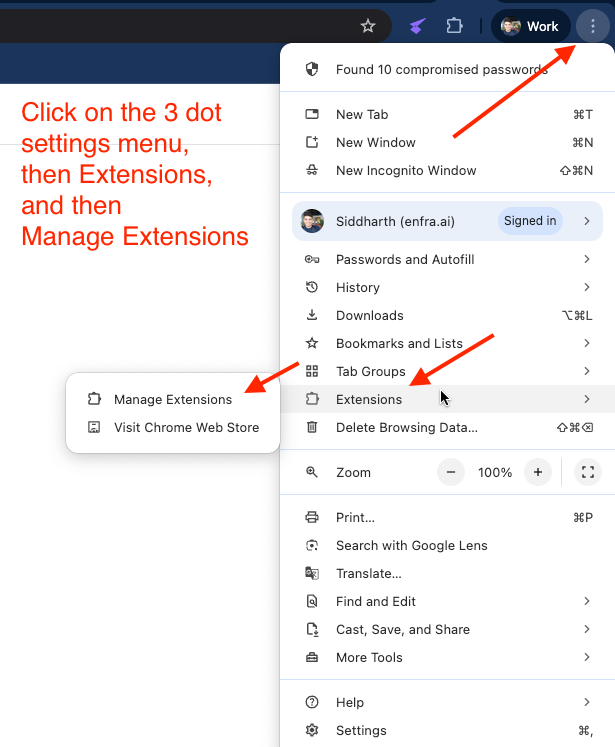
- Open the Chrome menu by clicking the three dot menu on the right hand side
- Click on “Extensions”
- And then “Manage Extensions”
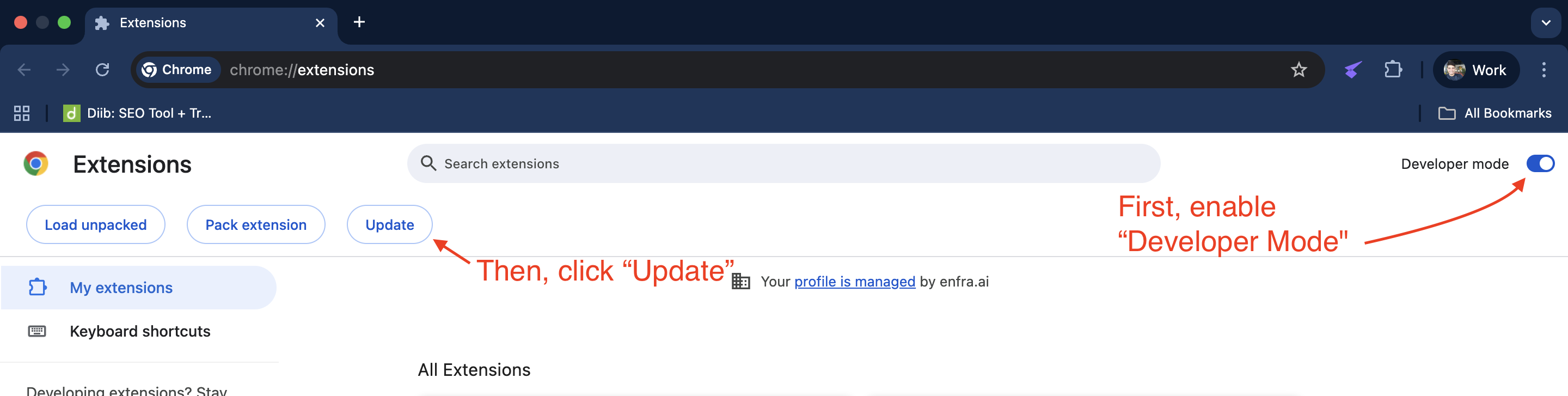
Once you’re in the “Manage Extensions” screen
- Toggle “Developer Mode” on
- And then click “Update”
This will update all your extensions, including Enfra.
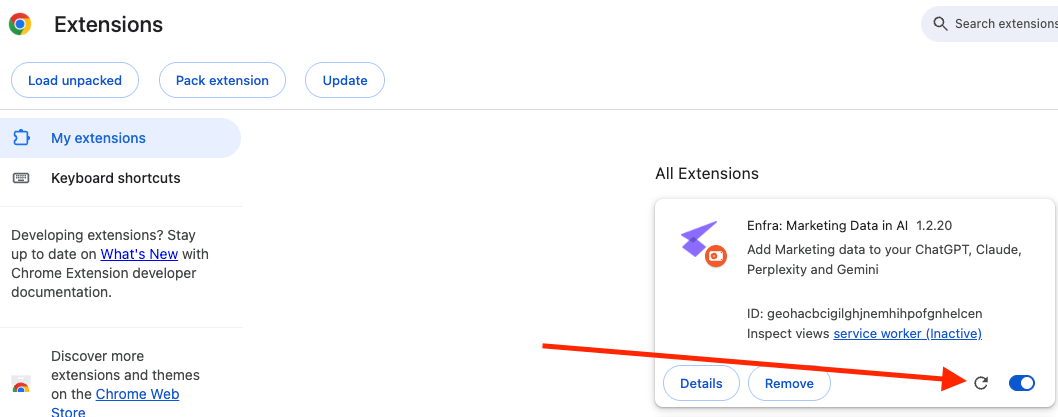
If you want to update only the Enfra extension, then click the round update arrow in the extension card.

Cofounder and CEO of Enfra. 15 years experience in the trenches of tech marketing.