
A landing page you rely on suddenly returns a 404. A CMS update alters an important page. A new page gets published but never makes it into your monitoring workflow.
You shouldn’t have to discover any of that from a traffic drop days later.
Today, we’re shipping Page Monitor – daily page change monitoring built into Enfra.
Every morning, Enfra checks the URLs that matter on your site and the pages you choose to monitor, then alerts you when something changes or a page fails its check.
- A truncated title after a CMS update.
- An important page that suddenly returns a 404.
- A page published without being added to your monitoring workflow.
- A page that disappears from your sitemap.
Page Monitor is built for SEO teams, and it isn’t generic change detection. Instead of giving you an endless stream of alerts, it gives you three tiers – Alert, Track only, and Ignore – so you can decide which pages deserve immediate attention.
Stay ahead with Enfra’s Page Monitor →
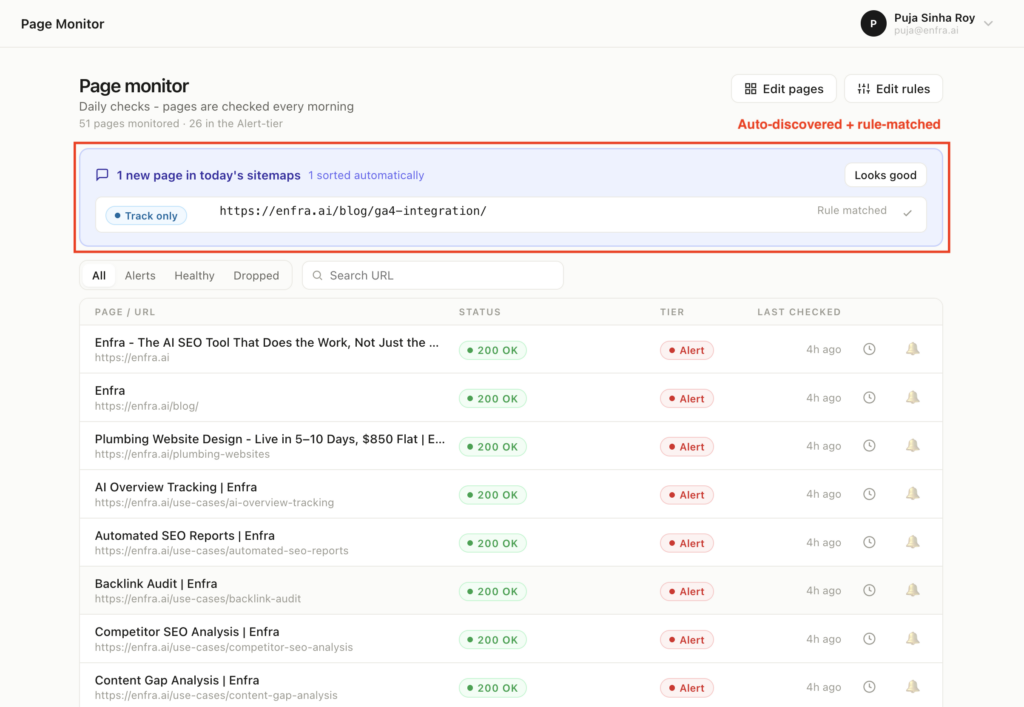
Page Monitor automatically discovers new pages and sorts them according to your monitoring rules.
What is Page Monitor?
Page Monitor watches the pages that matter to your SEO workflow and checks them every day. When a page changes or fails its check, Enfra surfaces it according to the monitoring tier you’ve assigned.
It can surface page-level changes, including changes to titles, content, links, and status codes.
The product is built around a simple idea:
Check important pages every day and get alerted when they return an error. Add pages from your sitemap, Google Analytics, or an uploaded list.
That means you don’t have to manually build and maintain a list of every page worth monitoring. Enfra can discover those pages for you and keep the list up to date.
Auto-discovery from sitemaps and Google Analytics
Page Monitor can automatically discover URLs from the sources you already have.
You can add pages from:
- Sitemaps – automatically discover URLs from your website’s sitemaps.
- Paid landing pages from Google Analytics – identify pages that received paid traffic during the last 60 days.
- An uploaded list of URLs – upload a CSV or text file, or paste URLs directly.
This means your monitoring list can grow with your site instead of becoming another spreadsheet your team has to maintain.
Publish a new page and add it to your sitemap? Page Monitor can pick it up automatically.
Launch a new paid landing page? It can be discovered through Google Analytics and assigned to the appropriate tier.

Add pages to Page Monitor from your sitemap, Google Analytics, or a custom list of URLs.
Three tiers: Alert, Track only, Ignore
Not every page deserves the same level of attention.
Page Monitor lets you assign every URL to one of three tiers:
- Alert – “Daily checks. You’re notified the same day.” Use this for pages that drive revenue or rankings: your homepage, important landing pages, money pages, and top use-case pages.
- Track only – “Checked daily. Grouped in a weekly digest.” Use this for pages that matter but don’t require same-day action, such as blog posts, supporting documentation, or secondary use cases.
- Ignore – “Not checked or counted. Stays hidden.” Use this for pages you’ve off-ramped, such as thank-you pages, internal tools, or archived content.
The point isn’t to monitor every page equally. It’s to make sure the pages that matter most get the fastest response.

Page Monitor’s rule-based tiers let you decide which pages need immediate alerts, weekly monitoring, or no monitoring at all.
How rule-based tiering works
Once Page Monitor finds your URLs, you don’t have to assign every page manually.
Rules are applied top-to-bottom. First match wins.
Here’s an example of what that looks like inside the product:
| Order | Rule | Tier | Pages matched |
|---|---|---|---|
| 0 | Home page | Alert | 1 page |
| 1 | If URL contains /blog/ | Track only | 26 pages |
| 2 | If URL contains /use-cases | Alert | 23 pages |
| 3 | If URL contains / | Alert | 50 pages |
| — | GA4 paid source | Alert | 1 page |
| — | Everything else | Track only | 0 pages |
You could, for example, set:
Homepage → Alert
Use-case pages → Alert
Blog posts → Track only
Paid landing pages → Alert
Everything else → Track only
Then, when a new page appears, Page Monitor evaluates it against those rules and assigns the appropriate tier.
You set the logic once. New pages follow it automatically.
Review and fine-tune your monitoring list
Once Enfra applies your rules, you get a final list of the pages that will be monitored. Review the URLs, see which tier each page was assigned to, and make manual adjustments before you start monitoring.
Rules handle the bulk of the sorting, but you still have control over individual pages. You can change a page from Alert to Track only, Ignore, or back again before updating your monitoring setup.
The Assigned By column also shows why each page landed in its current tier, so you can understand how Enfra arrived at the result.
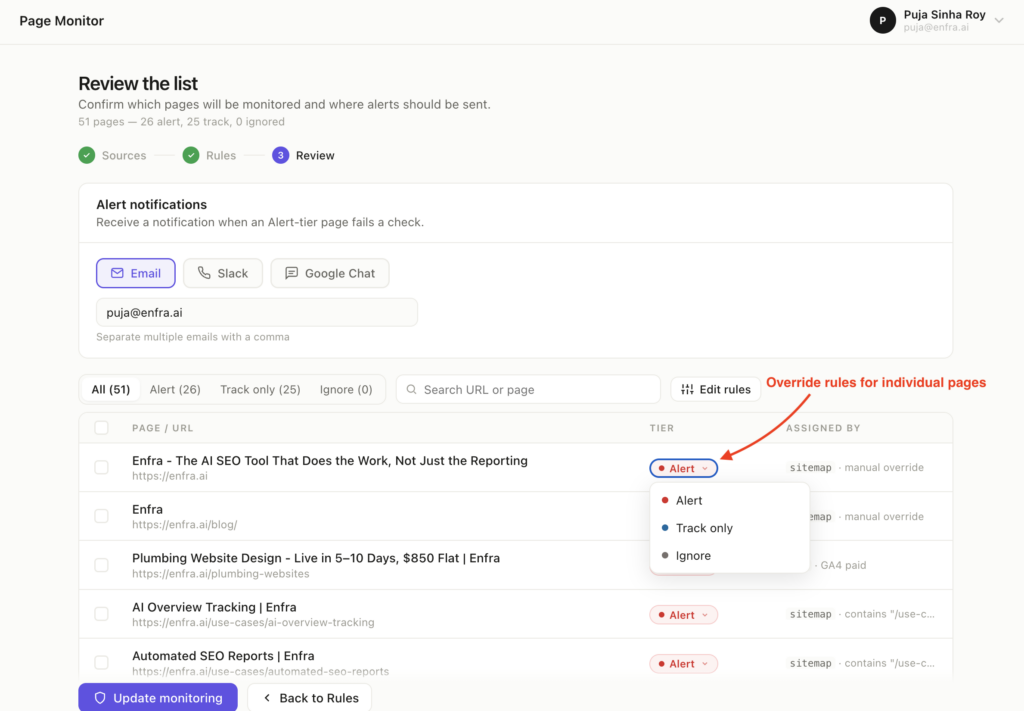
Review your monitored pages, see how each was assigned, and manually adjust tiers before monitoring begins.
The Page Monitor dashboard
Once monitoring is running, Page Monitor gives you a single view of what’s happening across the URLs you’re watching.
The dashboard has four views:
- All – every monitored page.
- Alerts – pages that failed their check.
- Healthy – pages that passed their check.
- Dropped – pages that disappeared, returned a 404, or were removed from a monitored source.
Each row shows the page title, URL, status, tier, and last-checked timestamp. A healthy page can return a clear 200 OK status, while pages in the Alert tier are clearly marked so you know which ones need attention first.
And if a new URL appears in your sitemap, you don’t have to wait until someone remembers to add it.
You’ll see a banner like:
“1 new page in today’s sitemaps. 1 sorted automatically.”
The new URL appears alongside the rule that matched it, so you can immediately see why it was assigned to that tier.
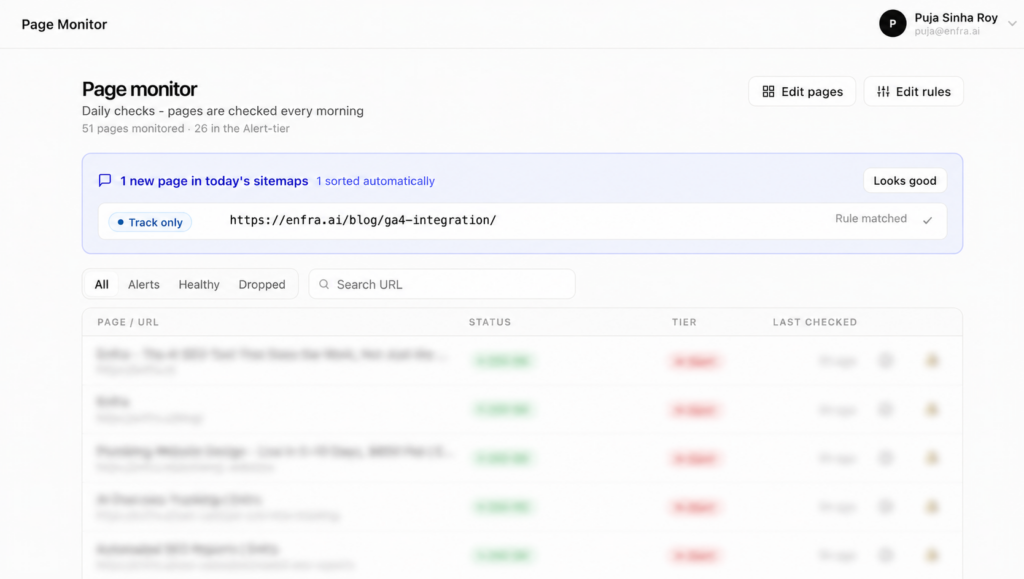
New sitemap pages are automatically discovered and assigned to the right monitoring tier based on your rules.
Where Page Monitor sends alerts
Finding a problem is only useful if the right person hears about it.
Alert-tier notifications can go to:
- Slack
- Google Chat
You can choose the destination when you review your monitoring setup.
For email, enter one or more addresses, separated by commas.
For Slack and Google Chat, you can select the relevant channel, space, or group from the interface.

Choose where Page Monitor sends your alerts – Email, Slack, or Google Chat.
Three SEO use-cases for Page Monitor
Page monitoring becomes useful when you stop treating every URL equally. Here are three places where knowing that a page changed – or disappeared -can make a difference to your SEO workflow.
1. Protect your highest-value SEO pages
Not every page deserves the same level of attention. Your most important landing pages can sit in Alert, while blog posts and supporting pages can stay in Track only.
Alert-tier pages get same-day notifications when they fail a check, while Track-only pages are checked daily and grouped into a weekly digest.
If you’re already using Enfra for rank tracking, Page Monitor adds another layer of protection: rankings tell you that something changed in search performance; Page Monitor can help you catch the underlying page change.
2. Catch important pages that break or disappear
A page can quietly stop working or disappear from your monitoring sources. Page Monitor gives you a daily way to catch those changes before they go unnoticed.
The dashboard makes page status easy to scan with a 200 OK response for pages that returned successfully, while Dropped pages get their own tab so you can quickly find URLs that have disappeared, returned a 404, or were removed from a monitored source.
3. Automatically monitor new pages as they’re published
Keeping a monitoring list up to date manually doesn’t scale. Page Monitor checks your sitemaps and Google Analytics every morning and automatically adds relevant new URLs. Your rules then determine each page’s monitoring tier.
For example, if you have a rule that puts /blog/ pages into Track only, a newly published blog post can be discovered from your sitemap and assigned to that tier automatically.
You set the rules once. New pages follow them automatically.
Frequently Asked Questions
1. What does Page Monitor monitor?
Page Monitor checks the URLs you choose every morning and surfaces page-level changes and failed checks. It can surface changes to titles, content, links, and status codes, helping you catch issues before they go unnoticed.
2. How often does Page Monitor check my pages?
Page Monitor checks your monitored URLs every morning. Pages in the Alert tier trigger same-day notifications when they fail a check, while Track only pages are checked daily and grouped into a weekly digest.
3. Can Page Monitor automatically discover new pages?
Yes. Page Monitor can discover URLs from your sitemaps, Google Analytics, or an uploaded list of URLs. Sitemap and Google Analytics sources are checked every morning. When a new page is discovered, your rules determine which monitoring tier it belongs to.
4. What are the Alert, Track only, and Ignore tiers?
The three tiers let you decide how much attention each page deserves:
- Alert – Daily checks. You’re notified the same day.
- Track only – Checked daily. Grouped in a weekly digest.
- Ignore – Not checked or counted. Stays hidden.
You can also manually change an individual page’s tier during the review step.
5. Where can Page Monitor send alerts?
Alert-tier notifications can be sent through Email, Slack, or Google Chat. For Slack and Google Chat, you can select the relevant channel, space, or group from the interface.
Stay ahead with Enfra’s Page Monitor
If you’re responsible for the pages that matter to your SEO, you shouldn’t have to find out about problems after your traffic drops.
Page Monitor checks those pages every morning, automatically discovers new ones, and alerts you when something needs attention.
Set up Page Monitor for your domain →

Marketing Engineer at Enfra | Building agentic systems, web applications, and software products.