
Most SEO client reports fail for a simple reason: they show data, but they do not explain what the data means.
Clients do not want a pile of charts. They want to know what changed, why it matters, what your team did, and what happens next. If a report cannot answer those four questions quickly, it becomes a document people skim once and ignore.
That is the real job of SEO client reporting. It is not just to prove work happened. It is to help clients understand progress, trust the strategy, and make better decisions.
In this guide, you will learn what a good SEO client report should include, how to make it easier to understand, and how to make the reporting process faster without turning it into generic automation.
Build better SEO client reports →What SEO client reporting needs to do
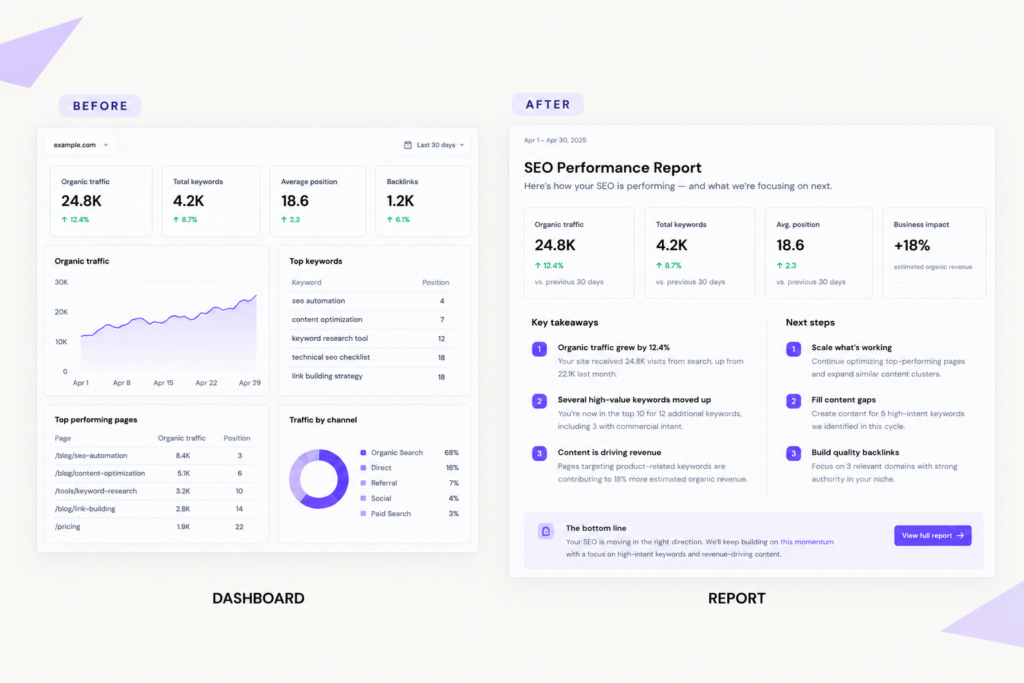
SEO client reporting is not the same as sending a dashboard link.
A dashboard is a place to look things up. A report is a communication tool. It should help a client understand performance without having to interpret every chart on their own.
Good client reporting should do five things well:
- show progress clearly
- explain results in plain language
- connect SEO work to business outcomes
- build confidence in the strategy
- create a clear next step
That sounds obvious, but many reports miss the mark because they try to include everything. The result is usually the same: too much ranking noise, too many screenshots, and not enough interpretation.
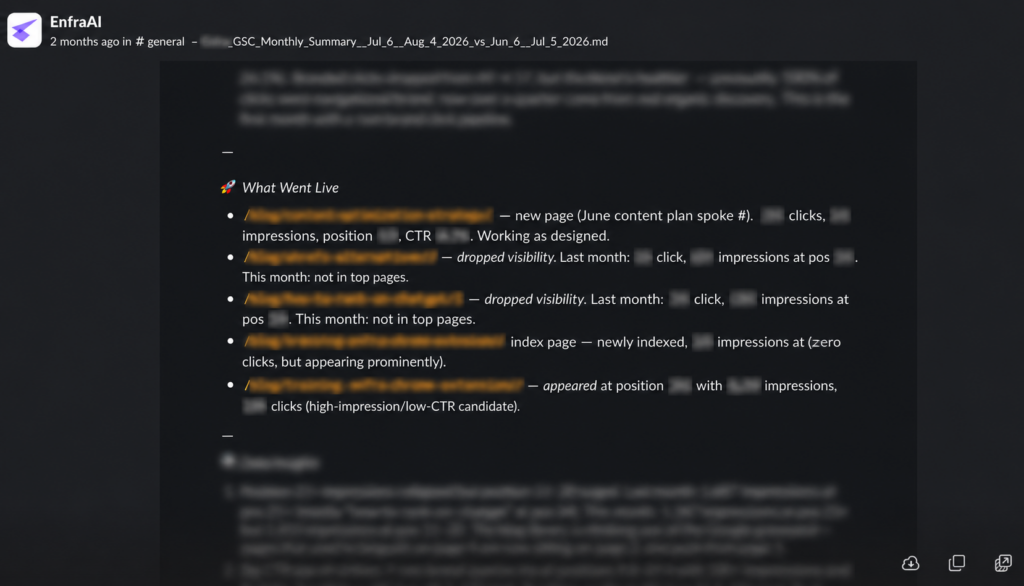
A good SEO client report should connect the whole workflow: from the first content brief, to publication, to the first round of content refresh, to the outcome. Clients should be able to see what was done, why it mattered, and what result it produced.
What clients actually care about in an SEO report
Most SEO teams care deeply about rankings, crawl issues, and keyword movement. Those matter. But clients usually care about them only when they are tied to something bigger.
In most cases, clients want answers to questions like these:
- Are we getting more qualified organic traffic?
- Are the right pages improving?
- Did the work this month move us closer to our goals?
- Are leads, demos, or sales improving?
- What are you doing next?
That changes how you should structure the report.
If you lead with isolated ranking screenshots, many clients will not know what to do with them. If you lead with a short explanation of business impact and then support it with search data, the report becomes more useful.
Good reporting is also about delivery. If the update sits inside a dashboard, it is easy to ignore. If it reaches the team in Slack or Google Chat, it is more likely to be read and discussed while the context is still fresh.
Give clients clearer SEO reports with Enfra →What to include in every SEO client report
The easiest way to improve SEO reporting is to use a consistent structure. That helps clients know where to look and helps your team spend less time reinventing the format every month.
Here are the core sections every client SEO report should include.
1. Executive summary
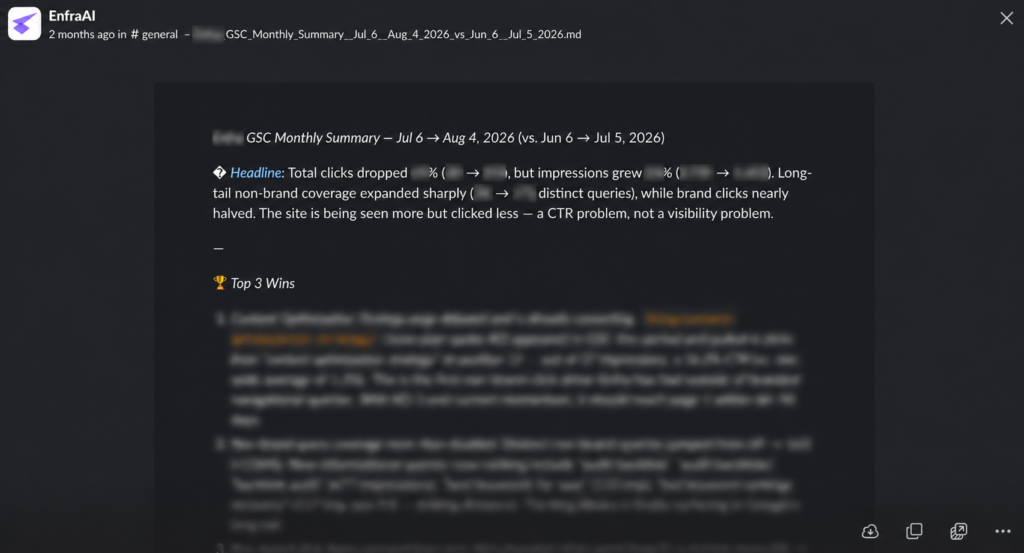
Start with a short summary at the top. This should be the section a busy client can read in two minutes.
A strong executive summary usually includes:
- the biggest win from the period
- the biggest risk or concern
- the most important performance trend
- what your team worked on
- what happens next
This part of the report should also make it easy to show what actually got done. If your team tracks work in Zoho Projects, you can pull from task activity to see what each teammate worked on during the reporting period. That makes the summary more accurate and helps connect deliverables to outcomes.
2. Organic traffic and visibility trends
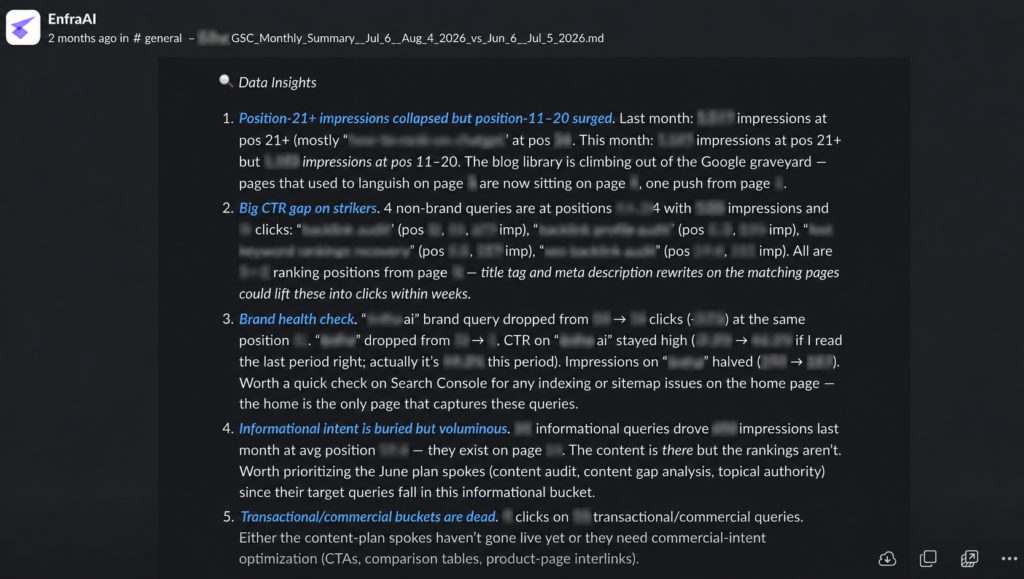
This section should show how search visibility is changing over time.
Useful metrics here include:
- clicks
- impressions
- click-through rate
- average position
- organic sessions
- engaged sessions if GA4 is available
The point is not to dump every trend line into the report. It is to show which trends matter and explain why they changed.
3. Priority keyword movement
Keyword reporting still matters, but only when it is selective.
Do not fill the report with every tracked term. Focus on:
- core commercial keywords
- movement for strategic keyword groups
- terms that moved into strong opportunity ranges, such as positions 4 to 15
- terms that dropped enough to deserve attention
This helps clients focus on meaningful shifts instead of vanity movement.
If a keyword moved from position 31 to 19, that may matter more than a branded term moving from 2 to 1. The report should reflect that.
4. Page-level performance
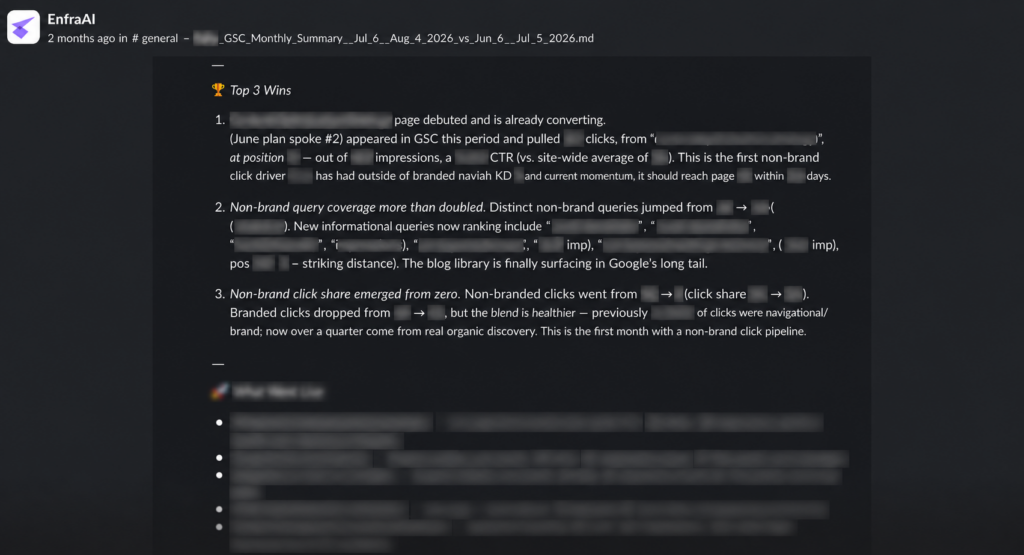
Many reports spend too much time on keywords and not enough on pages. Clients usually understand page-level reporting more easily because pages map more directly to content, service offers, and conversion paths.
Page-level reporting matters because different page types do different jobs. Blogs, landing pages, and SEO articles are structured differently, so they should not all be measured the same way.
A blog post may be there to build visibility. A landing page may exist to convert. An SEO article may do both. Good reporting should reflect that context.
This section can include:
- top-performing organic landing pages
- pages gaining traffic or impressions
- pages losing traction
- pages in striking distance that need optimization
- pages with strong traffic but weak conversion performance
This is one of the best ways to make reporting feel concrete. It shifts the conversation from “here are some rankings” to “here are the pages creating or losing value.”
5. Conversions or business outcomes
If conversion data is available, include it. If it is not, say so clearly and use the strongest proxy you have.
Depending on the client, this might include:
- leads
- calls
- demo requests
- purchases
- contact form submissions
- booked consultations
- assisted conversions
This matters because SEO reporting gets stronger the closer it gets to business impact.
A page gaining clicks is useful. A page gaining qualified conversions is more useful. The report should make that distinction visible.
6. Work completed and next steps
Clients should never finish a report wondering what your team actually did.
Include a short list of completed work, such as:
- refreshed three service pages
- rewrote title tags and meta descriptions
- fixed internal linking on priority pages
- published two new articles
- resolved canonical issues on key templates
Then show what happens next.
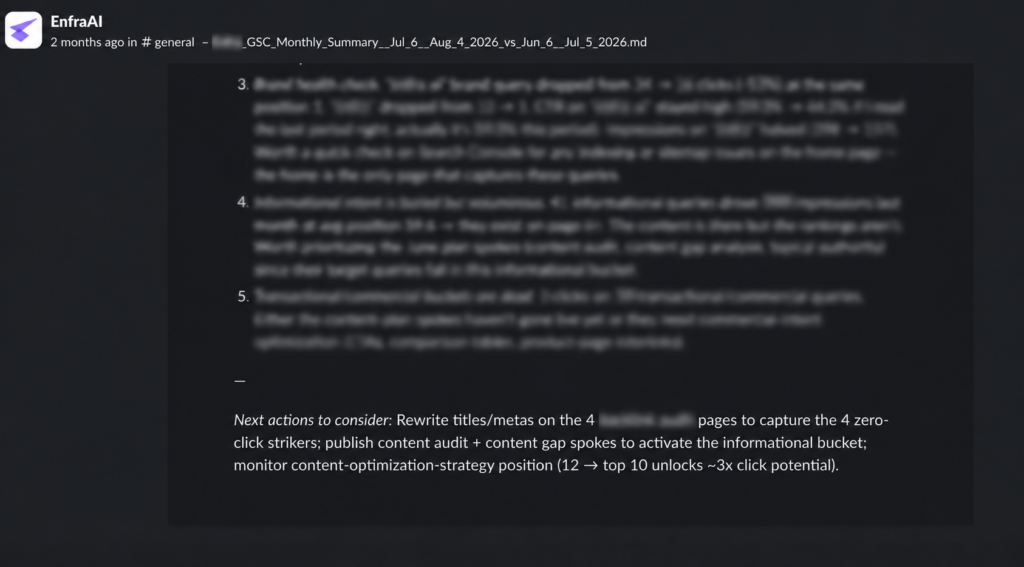
This is one of the most overlooked parts of SEO client reporting. It closes the loop between action and outcome. It also makes the report feel like an active strategy, not a passive recap.
How to make SEO reports easier for clients to understand
The best reports do not just present numbers. They interpret them.
That means every major section should answer some version of this question: what does this mean for the client?
A few simple practices make a big difference.
Add commentary under the numbers
Do not make the client guess why something changed.
If traffic improved, explain what drove it. If rankings dropped, explain whether it looks temporary, competitive, or structural. If conversions declined while visibility improved, say that clearly.
A short note under a chart can do more work than the chart itself.
For example: “Organic impressions increased because two comparison pages started ranking for new non-branded queries. Clicks have not caught up yet, which suggests the next gain will likely come from title and meta improvements.”
Separate branded and non-branded performance
This is one of the easiest ways to improve report quality.
Branded performance can hide what is happening in SEO. If a client’s name gets more searches because of offline activity or existing awareness, total organic numbers may look better even if non-branded growth is weak.
Splitting branded and non-branded performance gives a cleaner view of SEO progress.
Focus on patterns, not random movement
Not every change deserves attention.
If one keyword drops by two positions for a week, that may not matter. If a group of service pages starts losing visibility at once, that probably does.
Good reporting helps clients see patterns. Weak reporting gives equal weight to everything.
Use plain language
Clients should not need an SEO background to understand the report.
That means replacing vague or technical phrasing with direct explanations. For example:
Instead of:
“Several URLs experienced ranking volatility across monitored SERPs.”
Say:
“Three important service pages lost page-one visibility for non-branded searches this month.”
Simple language builds trust because it shows you understand the business side of the work, not just the SEO side.
Frequently asked questions
What should an SEO client report include?
A strong SEO client report should include an executive summary, organic traffic and visibility trends, key keyword movement, landing page performance, completed work, and next steps. The best client SEO reports also show conversions or other business outcomes when that data is available, so the client can see how the SEO work connects to results.
How often should SEO reports be sent to clients?
For most teams, a monthly SEO report is the best default. It gives enough time for useful movement to show up without overwhelming the client with noise. Weekly updates can work for active campaigns, but most SEO reports for clients are easier to understand and more useful when sent on a monthly cadence.
What is the difference between an SEO dashboard and an SEO report?
An SEO dashboard is mainly for monitoring performance. An SEO report is built to explain performance. Dashboards help internal teams check data quickly, while SEO reporting for clients should show what changed, why it matters, and what happens next. In short, a dashboard tracks activity, but a client report tells the story behind it.
Should SEO reports include conversions?
Yes. The best SEO reports for clients should include conversions whenever possible. Rankings, impressions, and traffic matter, but client reporting becomes much more useful when it shows whether the SEO work is leading to leads, demos, sales, calls, or other business outcomes.
How can agencies make SEO reporting faster?
Agencies can make SEO client reporting faster by using a consistent structure, tracking work clearly, connecting data sources, and automating recurring delivery. Automated SEO reports can save time on data gathering and formatting, but the report still needs human interpretation so it stays useful to the client.
Turn SEO client reporting into a repeatable workflow
The best SEO client reports are clear, selective, and easy to act on. They show what changed, why it mattered, what your team did, and what happens next.
That gets much harder when SEO reporting for clients depends on copying numbers from different tools, rebuilding the same format every month, or trying to remember who worked on what.
A good report should not rely on memory alone. It should connect the full arc of the work, from the first brief, to publication or optimization, to the first round of content refresh, to the outcome.
The process should be repeatable. That means pulling the right data, tracking what each teammate worked on, connecting those actions to page-level and business outcomes, and delivering client SEO reports where clients and internal teams will actually see them.
That is where Enfra fits. It brings together Search Console, GA4, WordPress, workflows, exports, and reporting delivery so teams can spend less time assembling SEO reports for clients and more time explaining what matters.
Try Enfra for SEO reporting →
Marketing Engineer at Enfra | Building agentic systems, web applications, and software products.